What should a podcast host do when a remote guest shows up with bad microphone audio?
A calm order of operations for the ten minutes when a guest sounds terrible and the session is already started. What to check, what to change, and when to move the date.
Diagnose the Fault in the First Two Minutes
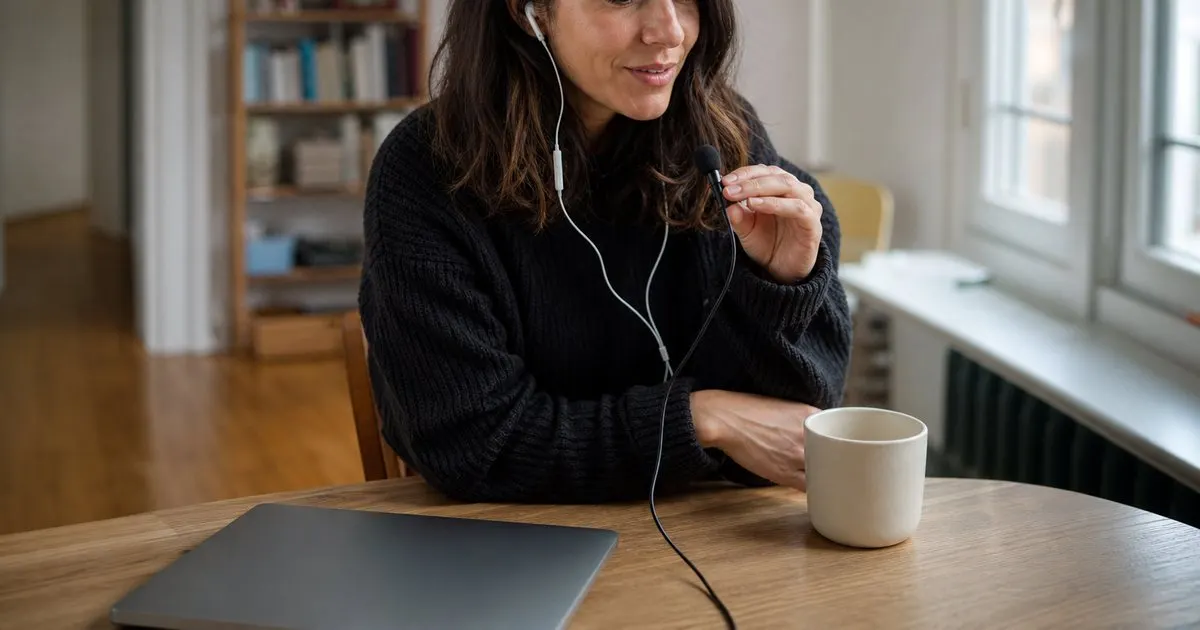
Most bad guest audio comes from four ordinary causes: a laptop's built-in mic, a room full of hard surfaces, a wireless headset that drops the voice to phone-call quality, and background noise from a vent or an open window. Each one sounds different. Echo is hollow and far away. A wireless headset mic sounds thin and muffled, like a voice through a wall. A built-in laptop mic picks up keyboard taps and every bump of the desk. Naming the specific fault first keeps you from asking a guest to change five things at once and losing track of which one helped.
Do the check on a real test capture, not in your head. Ask a throwaway question, record about twenty seconds, and play it back on headphones. Your live monitoring path can flatter a signal or wreck one, so the recorded file is the only honest test. Listen once with your notes closed, decide what you heard, and only then speak. Guests get anxious fast when a host sounds unsure about the gear, and a confident single instruction lands far better than thinking out loud at them. Related: Making Guests Want to Come Back and Refer
Keep reading: How to Book Great Podcast Guests, Preparing for an Interview That Flows, Writing Questions That Get Real Answers. See how GuestFlowr helps you podcast guest booking with an auto-built prep dossier.
Fixes That Work Without Buying Anything
Wired earbuds beat a wireless headset almost every time. Ask the guest to disconnect the wireless pair and plug in the wired earbuds that came with their phone. The mic is usually better than the laptop mic, and because the audio stops playing through open speakers, the echo loop disappears with it. If there is no wired option in the house, headphones of any kind plus the laptop mic still removes echo, and echo is the harder of the two problems to treat afterward.
Room treatment is free if you use what is already in the room. Move away from bare walls and glass, close the window, switch off the fan, and raise the laptop on a stack of books so the mic sits closer to the mouth than to the desk surface. A guest recording in a bedroom near hanging clothes will usually sound better than the same guest at a conference table. Change one thing, listen, then change the next. Stacking three fixes at once tells you nothing about what actually worked. Related: How do you handle a podcast guest who cancels the day before recording?
Deciding Whether to Record, Reschedule, or Salvage
You have three options and roughly ten minutes to pick one. Record as is when the voice is clear enough to follow and the flaw is steady, because consistent room tone is far easier to treat later than anything intermittent. Reschedule when you hear dropouts, robotic artifacts, or a mic that cuts in and out, since no edit repairs audio that was never captured. Salvage sits in between: record the session anyway while asking the guest to run a voice memo on their phone beside them and send that file afterward.
Say the tradeoff out loud instead of deciding silently. Most guests would rather move a session than go out to an audience sounding underwater, and they tend to respect a host who protects how they sound. If you do move the date, book the replacement slot before you hang up and send the fix list in writing while the problem is still fresh in their mind. A vague promise to try again sometime usually becomes a guest who quietly never comes back. Related: How to Book Great Podcast Guests
Preventing It Before the Next Booking
Almost every audio emergency traces back to a missing step in the booking flow rather than to bad luck. A short prep note attached to the calendar invite, naming only the three things that matter most (wired earbuds, the quietest room in the house, sit close to the mic), prevents more trouble than any plugin. Send it twice: once at booking and once the day before. The day before message is the one people actually open, because that is when the session becomes real to them. Related: Booking Without the Email Back and Forth
Then build a five minute buffer into the start of every session and treat it as part of the recording rather than as a delay. That window is for the test capture, the playback, and one fix. Hosts who keep the habit usually find audio problems shrink to the occasional unavoidable case, and they stop losing whole episodes to a headset nobody checked. We fold that prep note into the dossier GuestFlowr builds for each booking, but a saved text snippet and a calendar reminder do the same job.
- Name the specific fault (echo, wireless headset, laptop mic, background noise) before asking the guest to change anything.
- Judge the audio from a twenty second test capture played back on headphones, never from your live monitoring.
- Wired earbuds, a softer room, a closed window, and a raised laptop fix most remote guest audio for free.
- Record through steady room noise, reschedule for dropouts and artifacts, and ask for a phone backup when you are unsure.

Julien Jimenez
Julien Jimenez is an independent software builder based in Paris. He designs, ships, and operates focused SaaS products for small businesses and independent professionals. Read the full author page.
Book great guests and show up prepared
Podcast guest booking with an auto-built prep dossier. GuestFlowr is built to help you put this into practice.
Book a guestMore from the GuestFlowr blog

How to Book Great Podcast Guests

Preparing for an Interview That Flows

Writing Questions That Get Real Answers
Get the GuestFlowr playbook
Practical guides on podcast booking, straight to your inbox as we publish them. No spam, unsubscribe any time.